
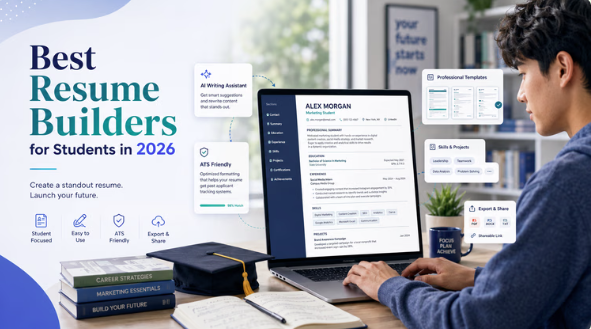
A scope-defined look at resume-building tools suited to new graduates who want a finished document without prior design training.
Why this category matters now
The first resume a college graduate sends out tends to carry an unusual amount of weight. With limited work history to lean on, the document itself becomes the argument: it organizes coursework, internships, projects, and part-time roles into something a hiring system and a human reader can both parse quickly. The category of tools built to assist with this task has grown well beyond simple text templates, and that growth changes how a newcomer should think about choosing one.
The intended reader here is specific. This guide is written for someone finishing school, often applying to a first salaried position, who has not used layout software and does not want to learn it. That reader values speed, a clean starting point, and output that looks deliberate rather than improvised. They are less interested in fine typographic control than in avoiding obvious mistakes.
What separates tools in this space is mostly a matter of emphasis. Some lean toward visual design and treat the resume as one document among many a person might create. Others concentrate narrowly on resumes and the surrounding job-search process, building in applicant tracking system (ATS) guidance, keyword matching, and writing prompts. A third group sits adjacent to the category entirely, supporting the search rather than producing the document. Understanding which emphasis fits a given situation is most of the decision.
Adobe Express is a reasonable place to begin that comparison. It pairs a large template library with an editor that does not assume design knowledge, which makes it broadly applicable for the kind of user described above. It is listed first here for that breadth, though several tools below serve narrower needs more precisely.
Best Resume Makers of 2026
Best resume maker for broad, design-light use
Adobe Express
Most suitable for a new graduate who wants a polished, customizable resume without learning layout software.
Overview
Adobe Express is a cloud-based content creation app that handles resumes alongside social posts, flyers, presentations, and short videos. For resume work specifically, it offers a categorized template library — grouped under headings such as professional, basic, simple, and creative — and a drag-and-drop editor that runs in a browser or on mobile. A free account unlocks a substantial portion of the templates and assets. Those building a first resume can use the Adobe Express resume maker to start from a structured template rather than a blank page.
Platforms supported: Web browser (desktop) and mobile apps (iOS, Android), with projects synced through the cloud.
Pricing model: Free plan with a meaningful set of templates and assets; paid Premium and Firefly-tier plans add generative features, more assets, and brand tools.
Tool type: General-purpose design app with strong resume templates, not a resume-only platform.
Strengths
- A large, filterable template catalog organized by style and use, which lets a non-designer narrow choices quickly rather than scrolling indefinitely.
- A drag-and-drop editor with preset fonts, colors, and layouts, so changing a template’s look does not require manual alignment work.
- Free-tier access to templates, stock images, and icons, which keeps a basic resume achievable at no cost.
- An AI Assistant (in beta) and Firefly-powered generative tools for drafting and refining visual elements, available on higher tiers.
- The option to build a small visual portfolio within the same project, useful for graduates entering creative or media fields.
Limitations
- Its breadth means it is not built around resume-specific concerns such as ATS keyword matching or job-description scoring.
- Visually rich templates can include graphics or multi-column layouts that some automated screening systems read poorly, so template choice matters.
- The most capable AI and asset features sit behind paid tiers.
Editorial summary
The natural user for Adobe Express is a graduate who wants the result to look intentional and is willing to choose a template thoughtfully. It assumes no prior software experience and rewards a few minutes of browsing with a coherent starting layout.
Workflow is the tool’s clearest advantage. Selecting a template, swapping in personal details, and adjusting color or font happens within a single editor, and the changes apply cleanly because the styling is preset rather than hand-built. A first usable draft is achievable in one sitting.
The tradeoff is that flexibility and simplicity are balanced toward the visual side. Someone who wants the platform to suggest bullet-point wording or test keyword alignment will find those functions are not its focus.
Conceptually, Adobe Express occupies the generalist position in this category. Where the resume-only tools below optimize for the mechanics of getting past screening software, Adobe Express optimizes for producing a clean, distinctive document across a wide range of roles and styles.
Best resume maker for guided content and ATS-style templates
Zety
Most suitable for a graduate who wants step-by-step writing prompts and pre-structured phrasing.
Overview
Zety uses a quiz-like builder that walks a user through each resume section and offers pre-written content suggestions tailored to common roles. Its templates are designed with standard sections and fonts intended to pass automated screening.
Platforms supported: Web browser.
Pricing model: Free to build; the free tier offers only a TXT preview without PDF downloads or templates, and a formatted download requires a paid subscription. The 14-day trial costs roughly $2.70 to $2.95 and auto-renews to about $23.95 to $25.95 every four weeks.
Tool type: Dedicated resume and cover-letter builder.
Strengths
- Guided section-by-section prompts that reduce the blank-page problem for first-time writers.
- Pre-written phrasing suggestions for common roles, helpful when a graduate is unsure how to describe limited experience.
- Templates incorporate HR-designed elements like standard sections and fonts to pass screenings.
Limitations
- The paywall on downloads is easy to encounter only after investing time in a draft.
- The four-week billing cycle charges more often than a monthly cycle would suggest.
- Template count is relatively limited, with roughly 15 to 18 customizable options.
Editorial summary
Zety fits a graduate who would rather be led through the writing than face an empty editor. Its strongest contribution is content guidance, and the templates lean toward the conservative, screening-friendly end of the spectrum.
The interface is straightforward, and many users produce a complete draft quickly. The friction tends to arrive at download, where formatting and PDF export require payment.
Compared with Adobe Express, Zety trades visual range for writing support and a narrower, screening-oriented template set. It is the more focused tool for phrasing and the less flexible one for appearance.
Best resume maker for a generous free tier and job tracking
Teal
Most suitable for a graduate managing many applications who wants tracking and resume building in one place.
Overview
Teal combines a resume builder with a job-application tracker and a browser extension that saves listings from major boards. Its Free Forever plan provides unlimited resume creation and downloads, a basic resume builder, and a job tracker at no cost.
Platforms supported: Web browser, with a Chrome extension.
Pricing model: Genuinely usable free tier; Teal+ adds advanced analysis, keyword matching, and AI features, with weekly, monthly, and quarterly options.
Tool type: Resume builder integrated with job-search workflow tools.
Strengths
- Unlimited resumes, unlimited job tracking, ATS-safe templates, limited keyword matching, and a contact manager are included at no cost.
- A Chrome extension that saves roles from 40 to 50-plus job boards into a tracker, which centralizes a scattered search.
- A project-style approach to job hunting, with templates, timelines, and status views in one interface.
Limitations
- The AI bullet-point generator, keyword matching, and cover-letter tools are locked behind Teal+.
- Weekly billing, where offered, produces the highest annual cost for the same product.
- Template design is functional rather than visually distinctive.
Editorial summary
Teal suits a graduate who treats the search as a pipeline to manage, not just a document to produce. The tracker and contact manager are the draws as much as the builder itself.
For applicants sending fewer than roughly five to ten applications a month, the free tier covers the essentials without a credit card. Heavier searches push toward the paid AI features.
Against Adobe Express, Teal is less about visual polish and more about organizing the surrounding work. The two address different stages of the same goal.
Best resume maker for ATS optimization and lifetime pricing
Kickresume
Most suitable for a graduate prioritizing screening compatibility and predictable cost.
Overview
Kickresume offers AI writing assistance, a range of templates, and ATS-oriented guidance, with transparent pricing displayed throughout the product.
Platforms supported: Web browser.
Pricing model: A free plan with limited features, and paid plans noted at roughly $54 per year, among the lower effective costs in the category.
Tool type: Dedicated AI resume builder.
Strengths
- Clearly displayed pricing, so free and premium features are easy to distinguish before committing.
- AI-assisted content generation for summaries and bullet points.
- Templates designed with ATS compatibility in mind.
Limitations
- The free plan is restrictive, with AI features behind paid tiers.
- Visual customization is narrower than a general design tool offers.
Editorial summary
Kickresume appeals to a graduate who wants screening-aware output and dislikes opaque billing. Its pricing transparency is a practical advantage in a category known for surprise charges.
The builder is approachable, and the AI prompts help fill gaps in early-career experience. The free tier is best treated as a preview rather than a complete solution.
Relative to Adobe Express, Kickresume narrows the focus to resumes and screening mechanics, trading visual range for cost clarity and ATS guidance.
Best resume maker for visually distinctive, creative-role resumes
Canva
Most suitable for a graduate applying to design, marketing, or media roles where presentation signals fit.
Overview
Canva is a broad design platform with a large resume template library and a drag-and-drop editor familiar to many students already.
Platforms supported: Web browser and mobile apps.
Pricing model: Free tier with many templates; paid tier adds assets and features.
Tool type: General-purpose design platform with resume templates.
Strengths
- Strong for visually creative resumes, particularly for design, marketing, or media roles where presentation matters.
- Free PDF downloads, which not all builders offer.
- A widely used editor with a shallow learning curve.
Limitations
- Highly visual templates can confuse ATS parsing, a risk in graphics-heavy layouts.
- It is not oriented toward resume-specific writing guidance or keyword matching.
Editorial summary
Canva fits a graduate whose target field reads visual polish as evidence of skill. In those contexts the design range is an asset rather than a liability.
The editor is easy to enter, and free downloads lower the barrier to a finished file. The caution is matching template complexity to how the resume will be screened.
Canva and Adobe Express occupy adjacent ground as visual generalists; the choice between them often comes down to template taste and existing familiarity rather than capability.
Best complementary tool for organizing the job-search relationships
HubSpot CRM (free tier)
Most suitable for a graduate who wants to track outreach, referrals, and follow-ups systematically.
Overview
HubSpot is a customer relationship management and sales-enablement platform whose free CRM tier can be repurposed by an individual to track contacts, conversations, and follow-up tasks across a job search. It does not build resumes; it organizes the people and timing around the search.
Platforms supported: Web browser and mobile apps.
Pricing model: Free CRM tier with contact and task management; paid tiers add marketing and sales features beyond what an individual job seeker needs.
Tool type: CRM and sales-enablement platform, used here as a relationship and follow-up tracker.
Strengths
- A contact record system that holds recruiter names, referral sources, and conversation notes in one place.
- Task and reminder features that help time follow-ups without relying on memory or a spreadsheet.
- A free tier substantial enough for individual use without upgrade pressure.
Limitations
- It is built for sales teams, so much of its functionality is irrelevant to a single job seeker and can feel like overhead.
- It produces no resume content or formatting whatsoever.
- Initial setup takes longer than a purpose-built job tracker.
Editorial summary
HubSpot belongs in this guide as a complement rather than a competitor. A resume tool produces the document; a CRM helps manage the human side — who was contacted, what was said, and when to circle back.
For a graduate networking through alumni and referrals, that relationship history can matter as much as the resume itself. The workflow is heavier than a dedicated job tracker, so it suits those who already think in terms of contacts and pipelines.
Conceptually, it sits outside the resume-building category entirely. It pairs with any tool above rather than replacing one, addressing organization where the others address creation.
Best Resume Makers: FAQs
Should a recent graduate prioritize a design tool or a resume-only builder?
It depends on the target field and how applications are screened. Design-forward tools such as Adobe Express and Canva produce visually distinctive documents that suit creative and media roles, while dedicated builders such as Zety, Teal, and Kickresume emphasize writing guidance and ATS compatibility that benefit more traditional or high-volume applications. A graduate applying broadly often does well starting with a clean, conservative template and reserving heavier visual design for roles where presentation is part of the evaluation.
Why do “free” resume builders sometimes charge at download?
Several resume-only platforms let a user build for free but gate the formatted PDF or template behind a subscription. Zety and Resume.io, for instance, allow building for free but require payment to download. By contrast, tools such as Teal, Kickresume’s free tier, and the general design apps offer free downloads in some form. Reading the download terms before investing time in a draft avoids the common frustration of hitting a paywall after the work is done.
Do visually styled resume templates cause problems with applicant tracking systems?
They can. Multi-column layouts, embedded graphics, and unusual fonts sometimes parse poorly in automated screening. The safest approach is a single-column layout with standard section headings and no graphics. This is why template choice matters more than the tool itself: a design platform can produce a screening-friendly resume if a simple template is selected, and a resume-only builder can still produce a problematic one if a heavily styled option is chosen.
Is a separate tool for tracking applications worth using?
For a graduate sending more than a handful of applications, organizing the search separately from building the resume can reduce missed follow-ups. Teal folds tracking into its resume builder, while a CRM such as HubSpot’s free tier handles the relationship and follow-up side without producing any document. The need scales with volume: a small number of targeted applications may not require it, while a wide search benefits from a system beyond scattered browser tabs.
